
Download MacFly Pro – Fast, Secure Mac Cleaner & Optimizer
Overview
MacFly Pro is a user‑friendly cleaning utility built especially for macOS users who want a clutter‑free, high‑performance computer without diving into complex command‑line tools. The application scans your Mac for duplicate files, temporary caches, oversized email attachments, and other space‑consuming junk, then lets you delete them with a single click. In addition to its powerful cleaning engine, MacFly Pro offers a thorough uninstaller that removes leftover files from applications you no longer need, and a set of maintenance suggestions that keep your system running smoothly.
Whether you’re a professional handling large media projects or a student juggling coursework, MacFly Pro helps you reclaim valuable storage, improve startup times, and maintain a tidy desktop environment. The interface is clean, intuitive, and designed to guide even first‑time users through the decluttering process with confidence. Security is a top priority – the app runs locally, never uploads personal data to the cloud, and includes a built‑in safety net that previews items before removal, reducing the risk of accidental loss.
By automating routine maintenance tasks, MacFly Pro lets you focus on the work that matters while your Mac stays optimized and responsive.
Key Features & Benefits
- Smart Duplicate Finder: Detects identical photos, documents, and media files across folders, presenting a clear view of what can be safely removed.
- Temporary & Cache Cleaner: Clears system caches, browser history, and application leftovers that silently eat up gigabytes of space.
- Email Attachment Scanner: Locates large email attachments stored locally, allowing you to delete or archive them without losing the original messages.
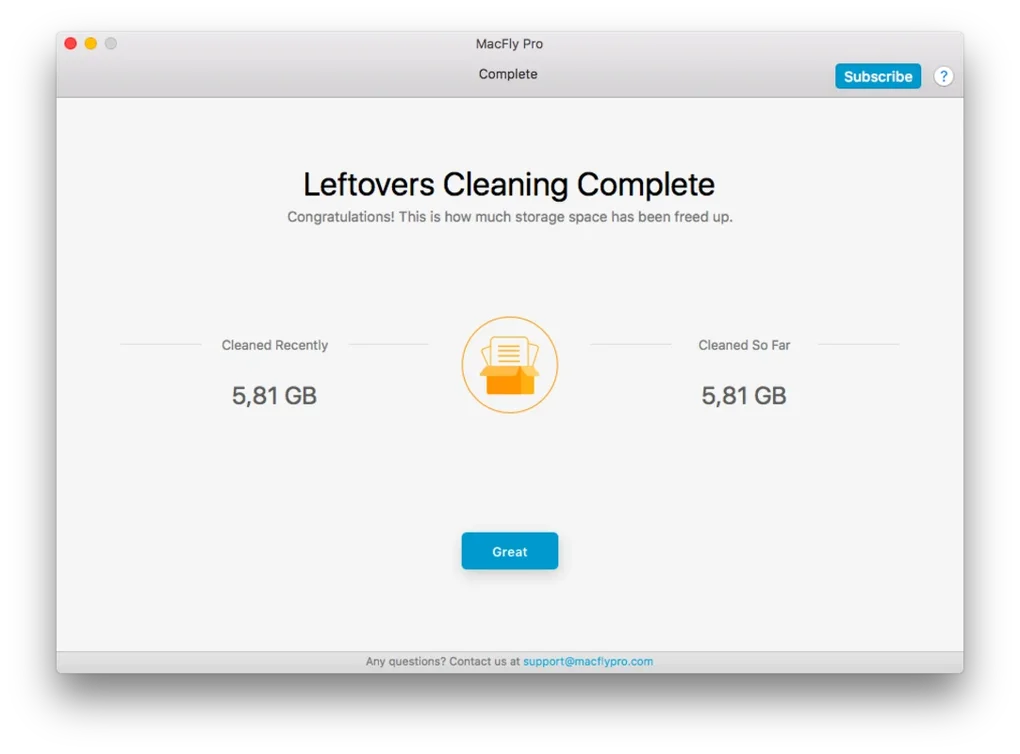
- Comprehensive Uninstaller: Uninstalls apps completely, eradicating hidden preference files, launch agents, and residual data.
- One‑Click Cleanup: After scanning, you can remove selected items with a single click, streamlining the decluttering workflow.
- Maintenance Recommendations: Offers personalized suggestions based on your usage patterns to keep your Mac in peak condition.
- Secure Local Processing: All scans and deletions happen on your device; no data is transmitted to external servers.
- Automatic Updates: Regular updates ensure compatibility with the latest macOS releases and introduce new cleaning algorithms.
- Lightweight & Fast: Optimized to run quickly without hogging CPU or memory, even on older Mac models.
- User‑Friendly Interface: Clear visual cues, progress bars, and preview panes make it easy for anyone to understand what will be removed.
These features combine to deliver a holistic cleaning solution that not only frees up space but also contributes to faster application launches, smoother multitasking, and a more organized file system. By regularly using MacFly Pro, you’ll notice shorter boot times, fewer system slowdowns, and an overall more responsive macOS experience. The tool is especially valuable for users who frequently work with large media files, such as video editors, photographers, and designers, as it quickly pinpoints redundant assets that can bloat storage. Moreover, the built‑in safety mechanisms—like the preview window and undo option—provide peace of mind, ensuring that you never lose important data accidentally. Whether you run macOS Ventura, Monterey, or an older version, MacFly Pro adapts to your environment, making it a reliable companion for years to come.
Installation, Usage & Compatibility
System Requirements (itemprop="operatingSystem"): MacFly Pro runs on macOS 10.13 (High Sierra) and later, including macOS Ventura, Monterey, Big Sur, and Catalina. The app requires at least 500 MB of free disk space for installation and a minimum of 2 GB RAM for optimal performance. It is compatible with both Intel‑based Macs and Apple Silicon (M1/M2) devices, automatically leveraging the appropriate architecture for speed and efficiency.
Step‑by‑Step Installation
- Visit the official MacFly Pro website and click the Download Free Trial button. The download is a signed .dmg file, ensuring a secure, malware‑free installer.
- Open the .dmg file and drag the MacFly Pro icon to your Applications folder.
- Launch the app from the Applications folder. The first launch will prompt macOS to verify the developer; click “Open” to proceed.
- Grant the necessary permissions when macOS asks for access to your Files and Folders. This step is essential for the scanner to locate duplicate and temporary files across the system.
- Once the main window appears, click “Run Full Scan” to start analyzing your drive. The scan typically completes within a few minutes, depending on the size of your storage.
Using MacFly Pro Effectively
- Review Scan Results: After the scan, the app categorizes findings into “Duplicates,” “Temporary Files,” “Large Attachments,” and “Unused Apps.” Use the preview pane to examine each item before deletion.
- Select Items to Delete: Check the boxes next to files you wish to remove. For bulk actions, use the “Select All” option within each category.
- One‑Click Cleanup: Click the “Delete Selected” button. A confirmation dialog appears, allowing you to confirm or cancel the operation.
- Uninstall Applications: Navigate to the “Uninstaller” tab, choose the apps you no longer need, and click “Remove Completely.” The tool will purge associated caches and preference files.
- Maintenance Suggestions: Check the “Health” tab for personalized tips, such as clearing login items, updating software, or resetting the PRAM.
MacFly Pro also includes an auto‑update feature that notifies you of new versions and applies them seamlessly, ensuring continuous compatibility with the latest macOS releases. The intuitive layout, combined with detailed tooltips, makes it easy for both beginners and power users to keep their Macs clean and organized without sacrificing security or performance.
Pros and Cons
What Users Love
- Fast, thorough scanning that identifies hidden duplicates and caches.
- One‑click cleanup with a clear preview, reducing the risk of accidental deletion.
- Comprehensive uninstaller that truly removes leftover files.
- Lightweight footprint – runs smoothly even on older Mac models.
- Regular automatic updates keep the tool compatible with the newest macOS versions.
- Secure local processing; no data leaves your computer.
- Helpful maintenance suggestions that go beyond simple cleaning.
Areas for Improvement
- Free trial is limited to a single full scan; a perpetual free version is not available.
- Interface, while clean, could benefit from dark‑mode support for low‑light environments.
- Advanced scheduling for automatic scans is missing; users must start scans manually.
- Some users report that the duplicate finder can be overly aggressive with certain file types (e.g., similar‑named photos).
- Pricing model is a one‑time purchase, which may not suit users looking for subscription‑based updates.
MacFly Pro delivers a fast, secure, and intuitive cleaning experience for macOS users. Its duplicate detection and thorough uninstaller are standout features, and the safety previews give peace of mind. While the lack of a permanent free tier and scheduling options are minor drawbacks, the overall value and performance make it a top choice for anyone looking to keep their Mac optimized.
Frequently Asked Questions
Is MacFly Pro safe to use on my Mac?
Yes. MacFly Pro runs locally on your computer, does not upload any personal data, and includes a preview step before any deletion, ensuring that you have full control over what gets removed.
Can MacFly Pro clean files on external drives?
Absolutely. During the scan you can select connected external SSDs, HDDs, or USB flash drives, and the tool will analyze them for duplicates and temporary files just like it does with your internal drive.
Do I need an internet connection to use MacFly Pro?
An internet connection is only required for downloading the installer and receiving automatic updates. All scanning and cleaning functions work entirely offline.
How often should I run MacFly Pro?
For most users, a monthly scan is sufficient to keep the system tidy. If you frequently work with large media files or install/uninstall many apps, a bi‑weekly scan may be beneficial.
What is the price of a full license?
A single user license costs $29.99 (one‑time payment) and includes lifetime updates for the current macOS major version. You can also purchase a bundle that covers multiple Macs at a discounted rate.
Conclusion & Call to Action
MacFly Pro stands out as a fast, secure, and user‑friendly solution for anyone who wants to keep their Mac clean, organized, and running at peak performance. Its intelligent scanning, thorough uninstaller, and practical maintenance suggestions make it more than just a basic junk remover—it’s a comprehensive optimization toolkit. While a few enhancements like dark‑mode and scheduled scans would make the experience even smoother, the current feature set delivers exceptional value for the modest one‑time price. If you’re ready to reclaim lost storage, speed up startup times, and enjoy a clutter‑free desktop, click the button below to download MacFly Pro and start your free trial today.







